HANDS ON SharePoint
 HANDS ON Teams
 HANDS ON Lists
 HANDS ON tek
 M365 Admin
Dynamics 365 Customer Insights – Data: Easily select field values when working with segment conditions
Creating segments in Customer Insights – Data is now faster, easier, and more accurate. Customer Insights – Data now allows you to select from a list of valid display names for field values, eliminating the need to enter obscure codes or keep track of what data values are expected for each field.

Dataverse Choice fields
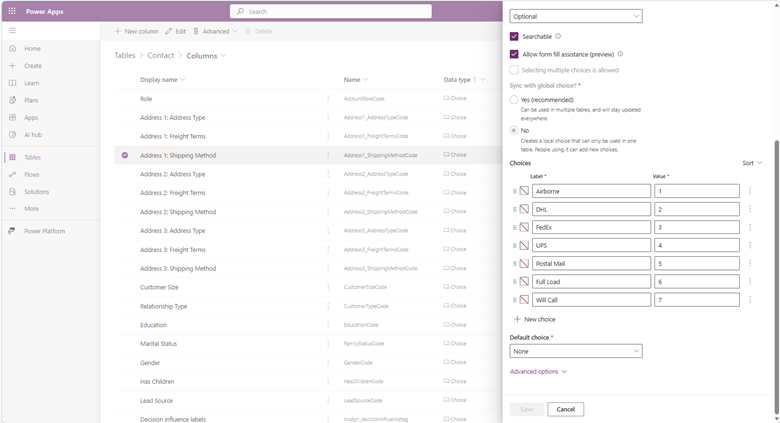
Choice fields are a common data type in Dataverse that are similar to a picklist or enumeration. Dataverse choice fields can generally be identified by the ‘code’ suffix that Dataverse adds to the display name of the column, such as gendercode.
Instead of having to enter a numeric code for fields like Gender or Address1_ShippingMethod, Choice fields are now shown as a list of choice names and their code, such as:
- GenderCode
- Male (1)
- Female (2)
Numeric and String fields
Numeric and String fields are analyzed and if there are fewer than 200 distinct values, the distinct values will be displayed in a dropdown combo box, allowing you to select from the existing distinct values or to enter a different value.
For performance, we will sample the first 10,000 rows from a data lake for distinct values.