

 HANDS ON SharePoint
 HANDS ON Teams
 HANDS ON Lists
 HANDS ON tek
 M365 Admin
Microsoft Purview: Credential scanning in Data Security Posture Agent
Microsoft Purview’s Data Security Posture Agent will add a credential scanning feature by mid-2026, using LLM-powered detection to find exposed credentials like Entra ID credentials, private keys, and API tokens. It provides risk scores, AI insights, and a task board for managing findings.

We are expanding the Data Security Posture Agent in Microsoft Purview with a new credential scanning capability. This update helps your organization discover exposed credentials and related data security risks across scoped locations. The agent analyzes selected data locations to detect sensitive credential types—including Microsoft Entra user credentials, private keys, and API tokens—and provides risk scores, AI-generated insights, confidence ratings, and credential categories so you can review, confirm, and take action from a single task board view.
This message is associated with Microsoft 365 Roadmap ID 558436.
When this will happen
- Public Preview: Rollout will begin in late March 2026 and complete by early April 2026.
- General Availability (Worldwide): Rollout will begin in late June 2026 and complete by early July 2026.
How this affects your organization
Who is affected
- Admins who manage Microsoft Purview and use the Data Security Posture Agent within Microsoft 365 tenants
What will happen
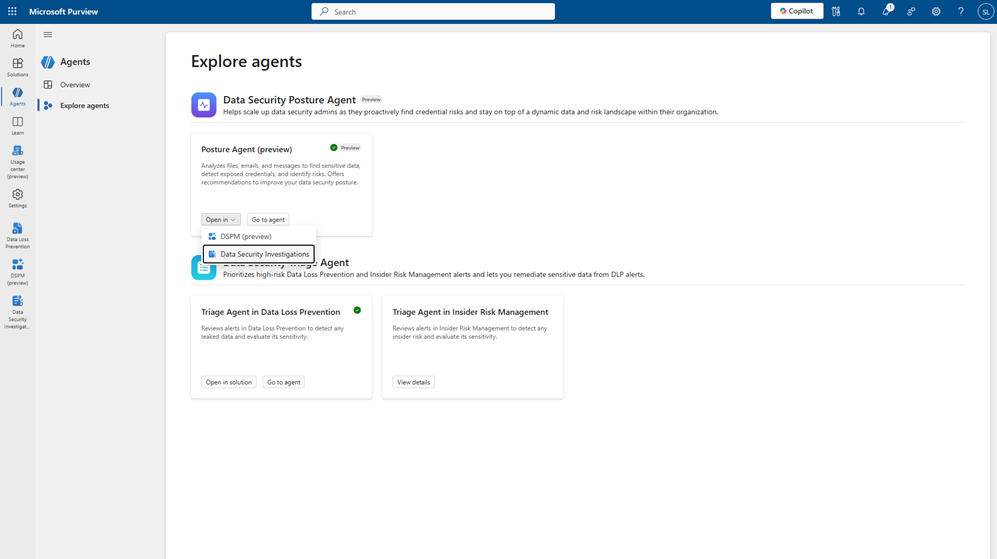
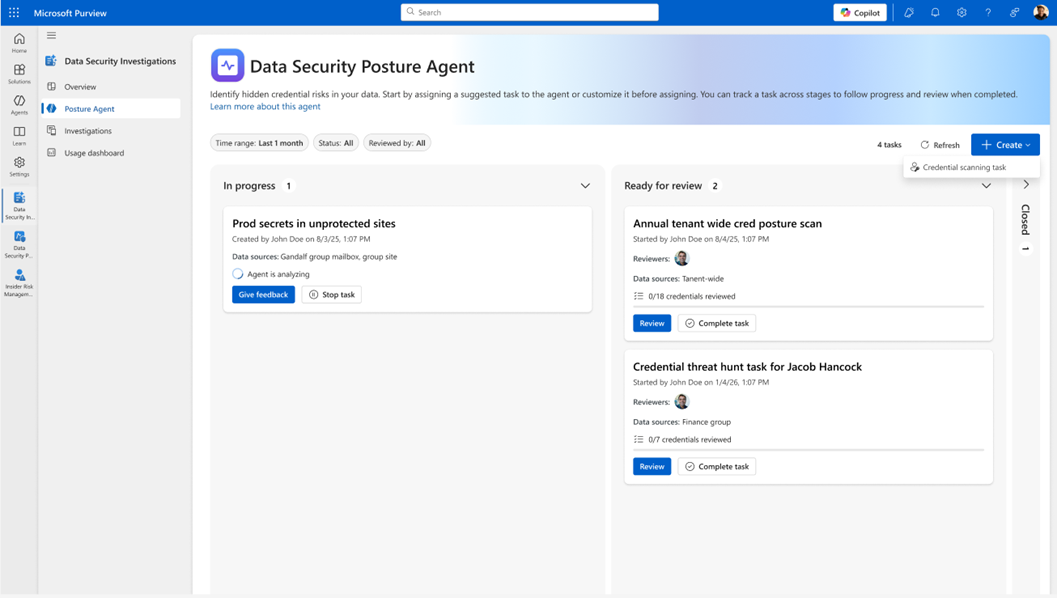
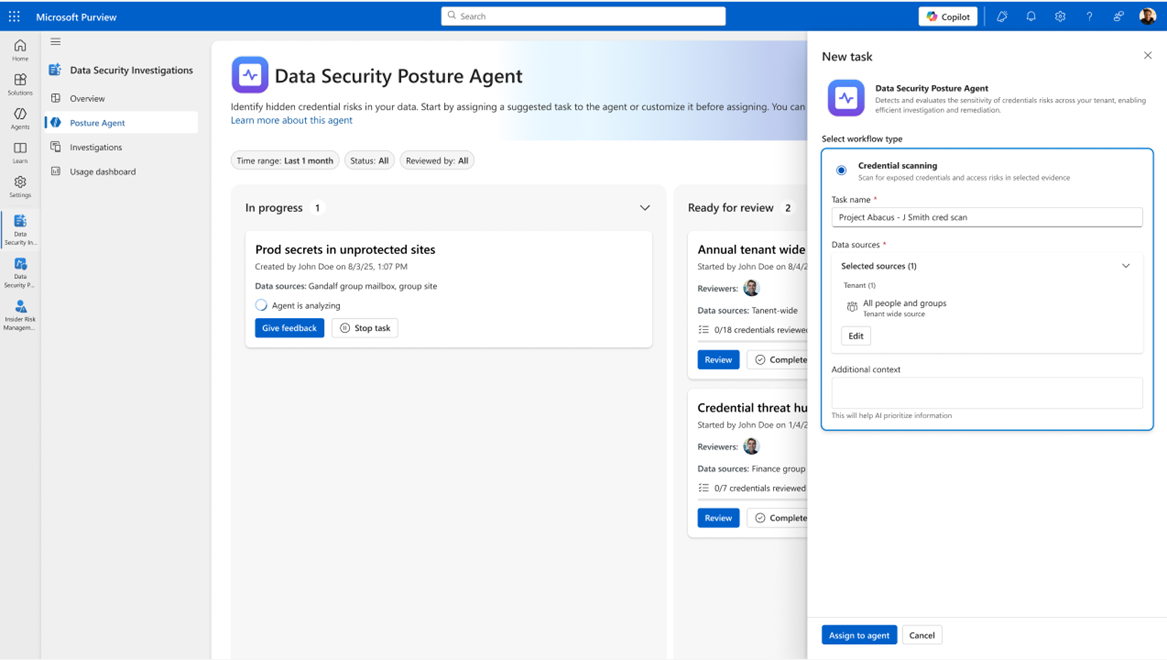
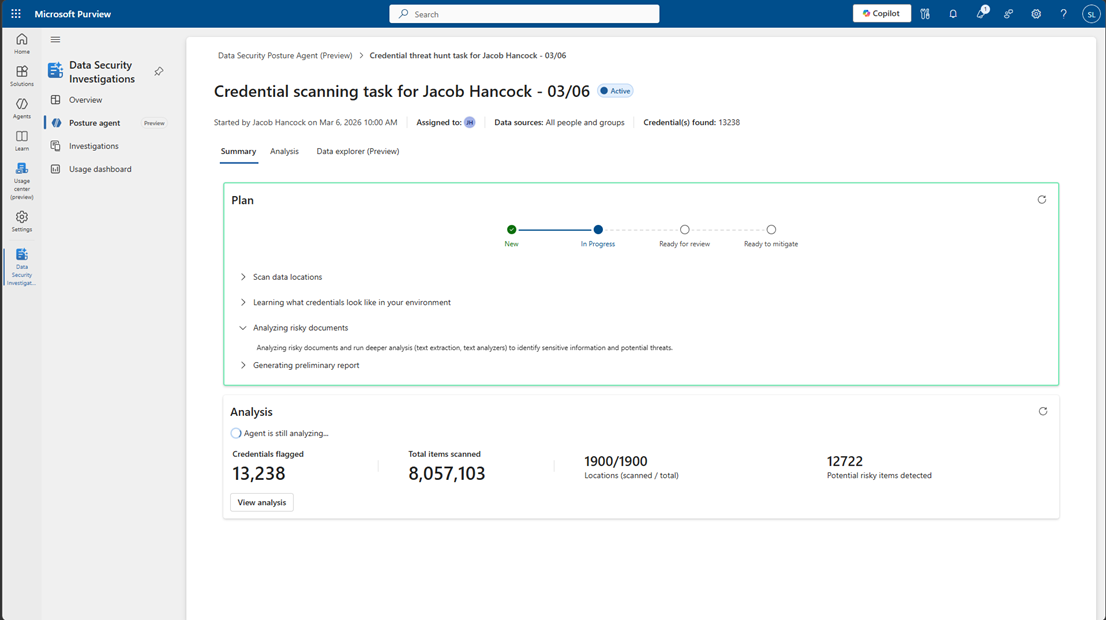
- A new credential scanning capability will be added to the Data Security Posture Agent under the Explore Agent tab (figures 1-5):
1.
2.
3.
4.
5.
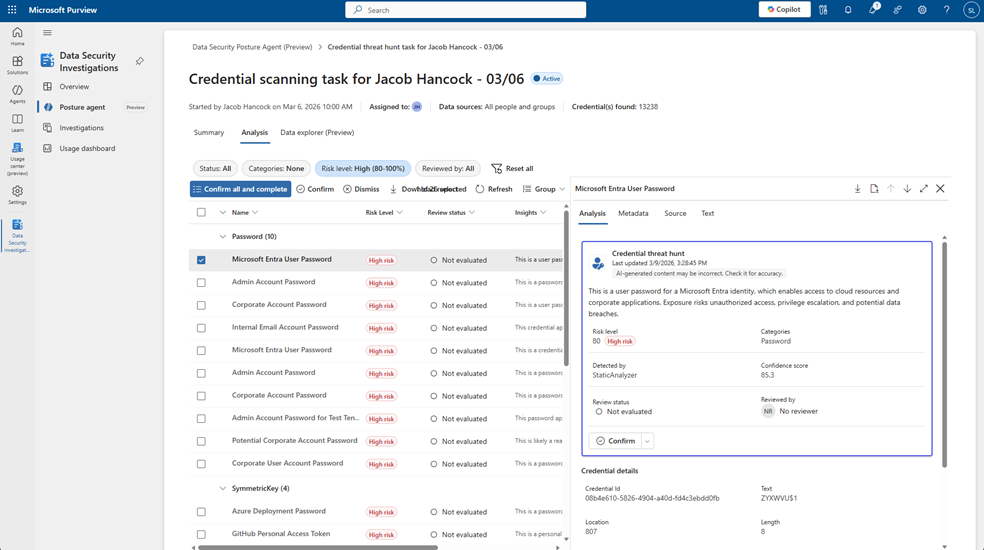
- The feature uses LLM-powered credential detection to:
- Scan selected data locations for exposed credentials.
- Detect Entra ID credentials, private keys, API tokens, and other credential types.
- Each finding includes:
- A risk score
- AI-generated insights
- A confidence score
- A credential category
- A task board experience will be available to track progress, review findings, and take action.
What you can do to prepare
- Set up the Data Security Posture Agent in Microsoft Purview > Explore Agent using the required admin roles.
- Communicate this change to your security and compliance teams.
Learn more:
- Get started with Microsoft Purview Posture Agent in Data Security Investigations | Microsoft Learn
- Security Copilot Agents in Microsoft Purview overview | Microsoft Purview | Microsoft Learn
Compliance considerations
| Question | Answer |
| Does the change alter how existing customer data is processed, stored, or accessed? | The agent discovers exposed credentials and data security risks across scoped locations |
| Does the change introduce or significantly modify AI/ML or agent capabilities that interact with or provide access to customer data? | Introduces LLM-powered discovery and risk assessment. |
| Does the change provide users any new way of interacting with generative AI? | Admins receive GenAI-generated summaries and LLM-assisted tasks. |
| Does the change include an admin control and can it be controlled through Entra ID group membership? | Setup requires admin roles in Microsoft Purview. |
Message ID: MC1259828





