

 HANDS ON SharePoint
 HANDS ON Teams
 HANDS ON Lists
 HANDS ON tek
 M365 Admin
AI in SharePoint (public preview): New AI site creation experience and updated model options
AI in SharePoint public preview introduces an AI-powered site creation experience by April 2026 and an OpenAI fallback model option rolling out now. Available to Microsoft 365 Copilot-licensed users in preview tenants, it requires Anthropic enabled for full features; otherwise, a fallback model is used with some capability variations.

You’re receiving this message because your tenant is opted in to the AI in SharePoint public preview (formerly SharePoint Knowledge Agent). As part of this public preview, we’re rolling out a new AI-powered site creation experience and a fallback model path to OpenAI.
When this will happen
- Create SharePoint sites with AI: April 2026
- Open AI fallback model option: March 2026 (rolling out now)
Who is affected
- Microsoft 365 Copilot–licensed users in tenants opted into the AI in SharePoint public preview.
- Create sites with AI: Available to users in preview tenants who already have permission to create sites, and only in tenants configured for the All Sites or Exclude Selected Sites preview options. Note: Tenants using the Selected Sites configuration do not have access to this feature during preview.
- Fallback model option: Applies to preview tenants, including those that do not allow Anthropic as an AI subprocessor. In these tenants, AI in SharePoint may use a fallback reasoning model when Anthropic is not enabled.
How this will affect your organization
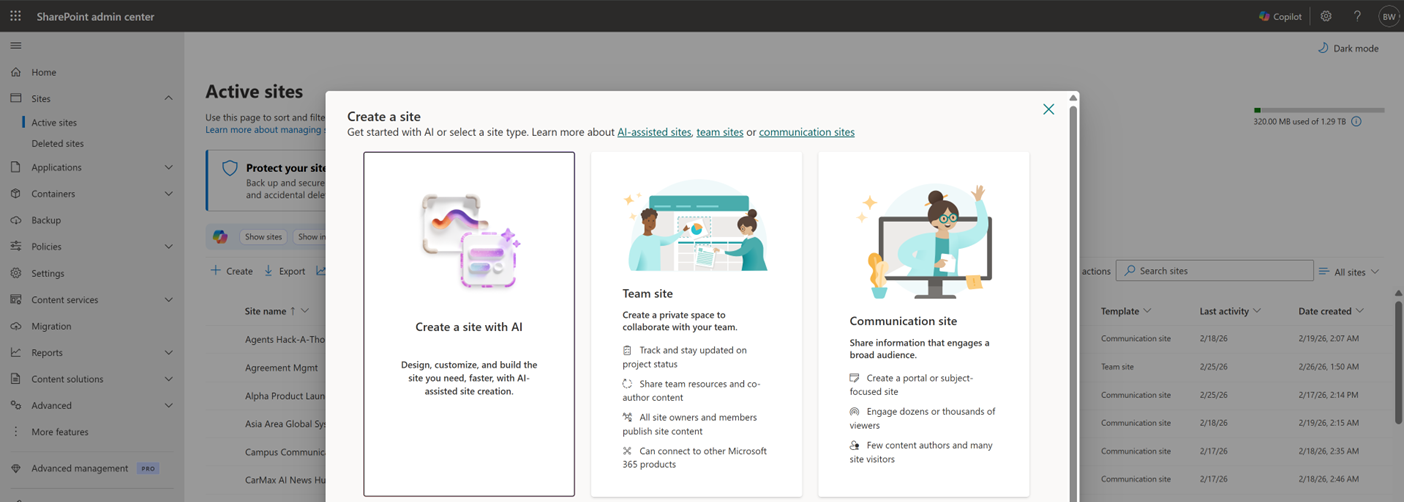
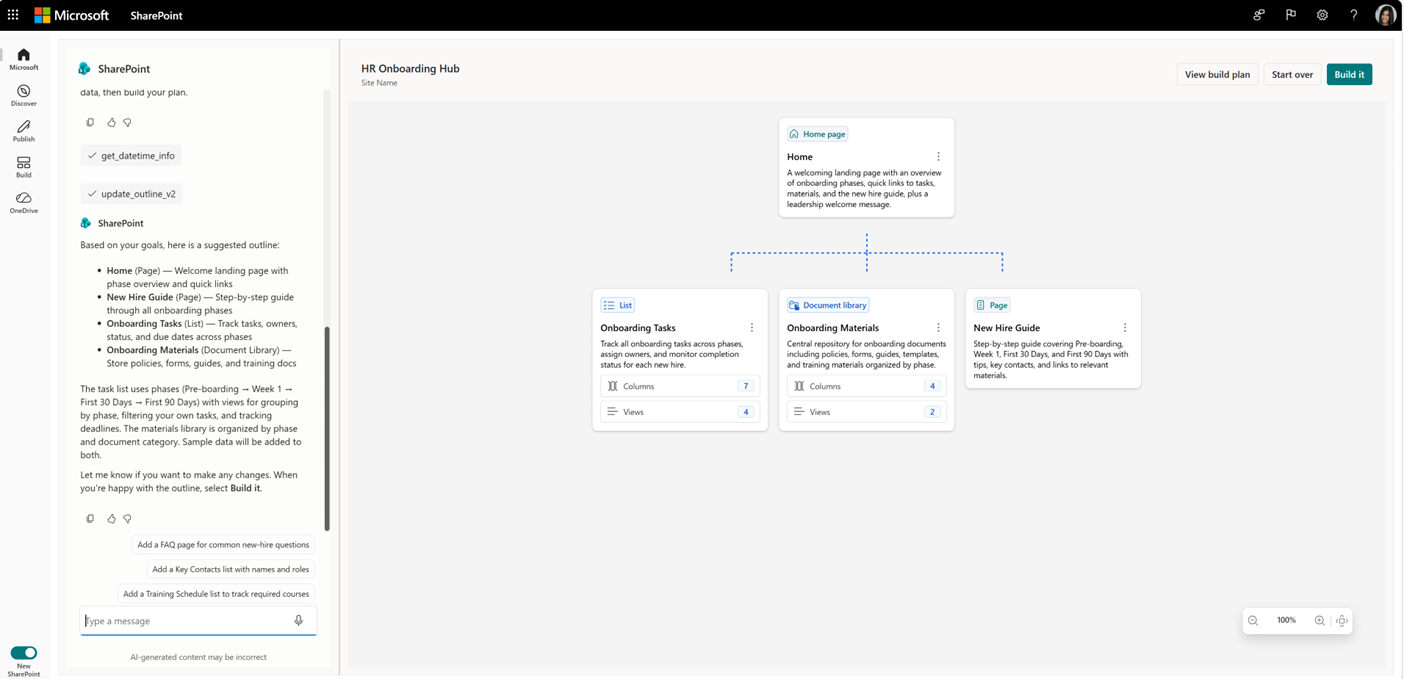
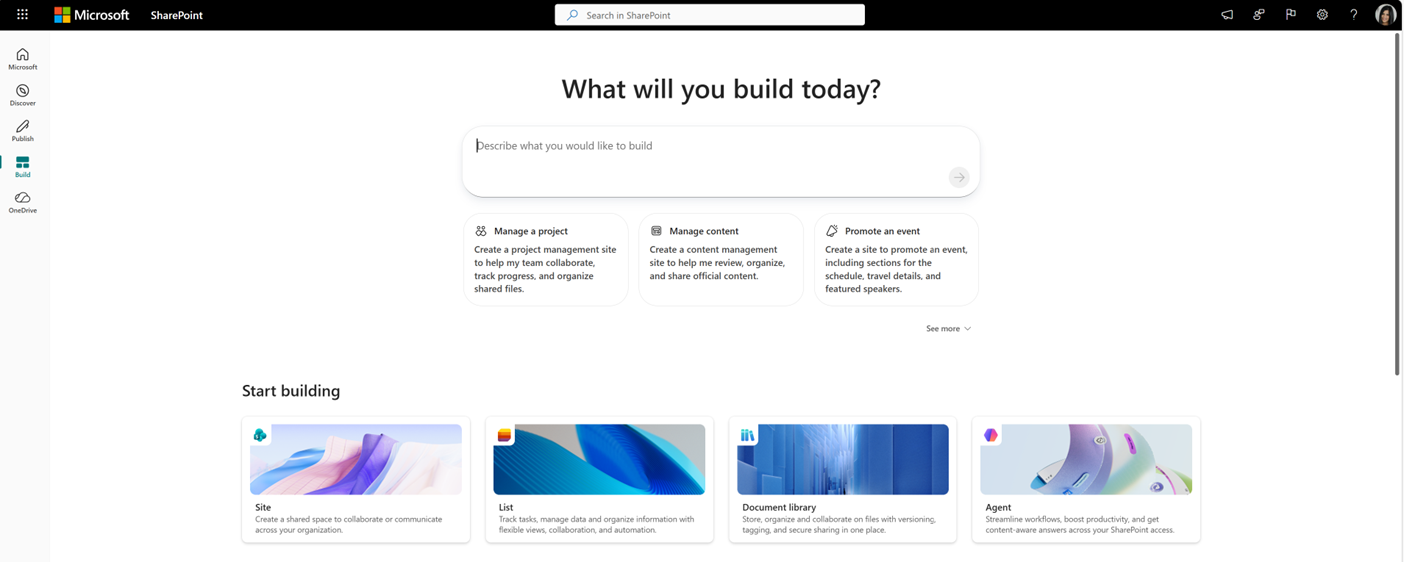
- Create sites with AI: This update introduces an AI‑assisted planning experience that lets eligible users describe a business need, refine a site plan through chat, and then create a SharePoint site. The experience honors existing site‑creation permissions and is available only in tenants opted into the AI in SharePoint public preview using the All Sites or Exclude Selected Sites configuration. It can be accessed from SharePoint Start (Build) and the + New site experience in the SharePoint admin center.
- Fallback model option: AI in SharePoint’s refreshed experience uses an Anthropic reasoning model for advanced, multi‑step planning and execution. When Anthropic is not enabled, AI in SharePoint may use a fallback reasoning model to maintain preview availability, and some advanced capabilities may vary.
Admin experience:
Site planning experience:
Start build page:
What you need to do to prepare
- Create sites with AI: Ensure your tenant is opted into the AI in SharePoint public preview using the All Sites or Exclude Selected Sites configuration. To access the full preview experience, including advanced multi‑step planning and execution, Anthropic must be enabled as an AI subprocessor. If not, AI in SharePoint may use a fallback reasoning model to maintain preview availability, but some advanced capabilities may vary. If Anthropic is already enabled, no action is required. Communicate to eligible users how to discover and use this capability.
- Fallback model option: No action is required. If Anthropic is not enabled, AI in SharePoint may use a fallback reasoning model to help maintain preview availability, though some advanced capabilities may vary depending on the model used.
Additional information
- This preview experience is part of the Microsoft 365 Copilot license.
- AI in SharePoint capabilities require sites to be explicitly opted into the AI in SharePoint public preview, or for the tenant to be opted in at the tenant level. Sites that are not opted in will not receive preview benefits.
Learn more:
- AI in SharePoint: From intent to real solutions – Introducing new agentic building in SharePoint and more updates | Microsoft SharePoint Blog
- Anthropic as a subprocessor for Microsoft Online Services | Microsoft 365 Copilot | Microsoft 365 | Microsoft Learn
- Building sites with AI | SharePoint in Microsoft 365 | SharePoint | Microsoft Learn
- Get started with AI in SharePoint (preview) | SharePoint in Microsoft 365 | SharePoint | Microsoft Learn
Message ID: MC1260703





