

 HANDS ON SharePoint
 HANDS ON Teams
 HANDS ON Lists
 HANDS ON tek
 M365 Admin
View and edit Markdown files in OneDrive and SharePoint
OneDrive and SharePoint will support viewing and editing Markdown (.md) files directly in the browser with a side-by-side editor and preview, starting mid-April 2026. This feature is enabled by default, requires no admin action, and allows easy management of Markdown files alongside other Microsoft 365 files.

Introduction
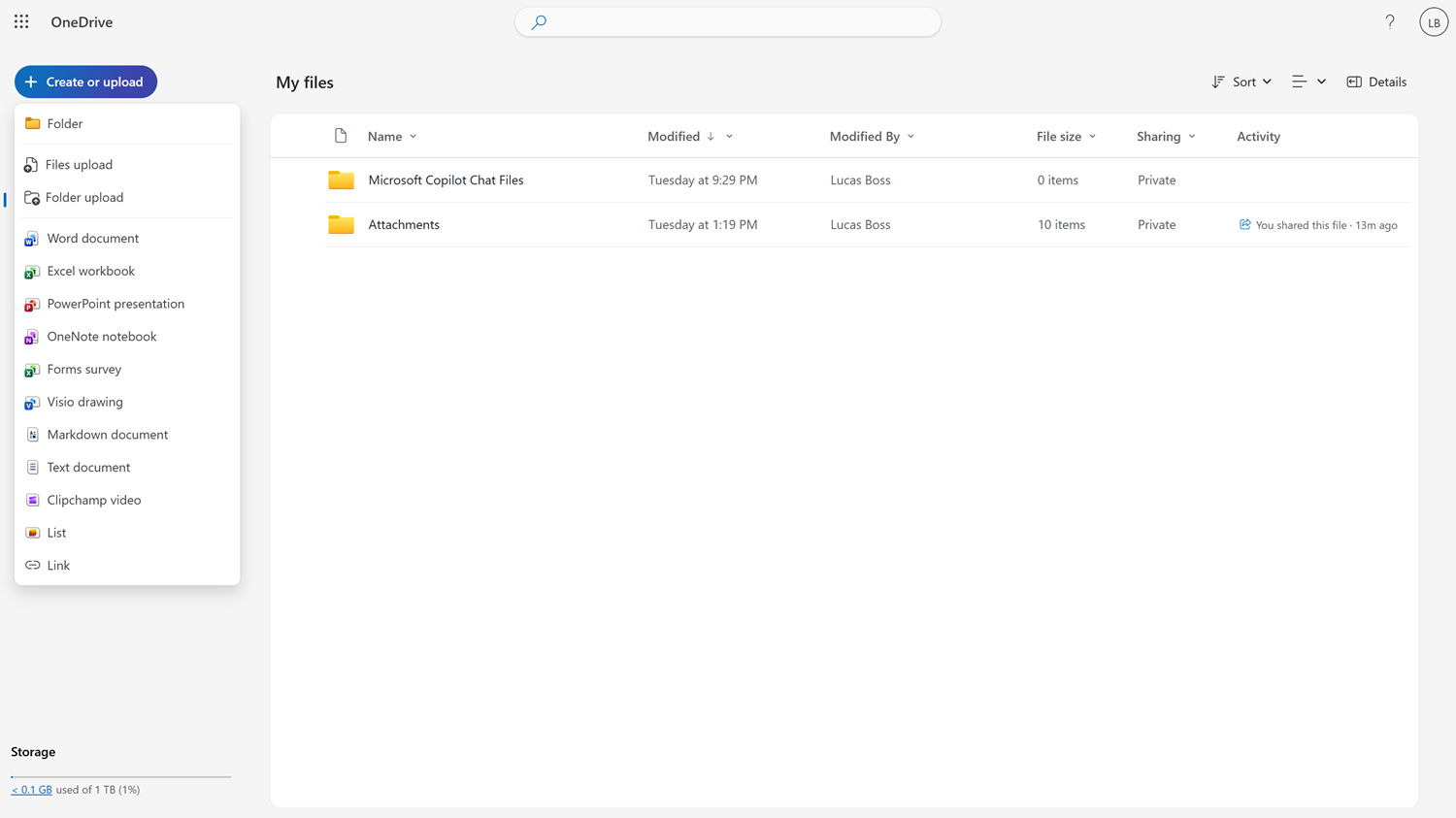
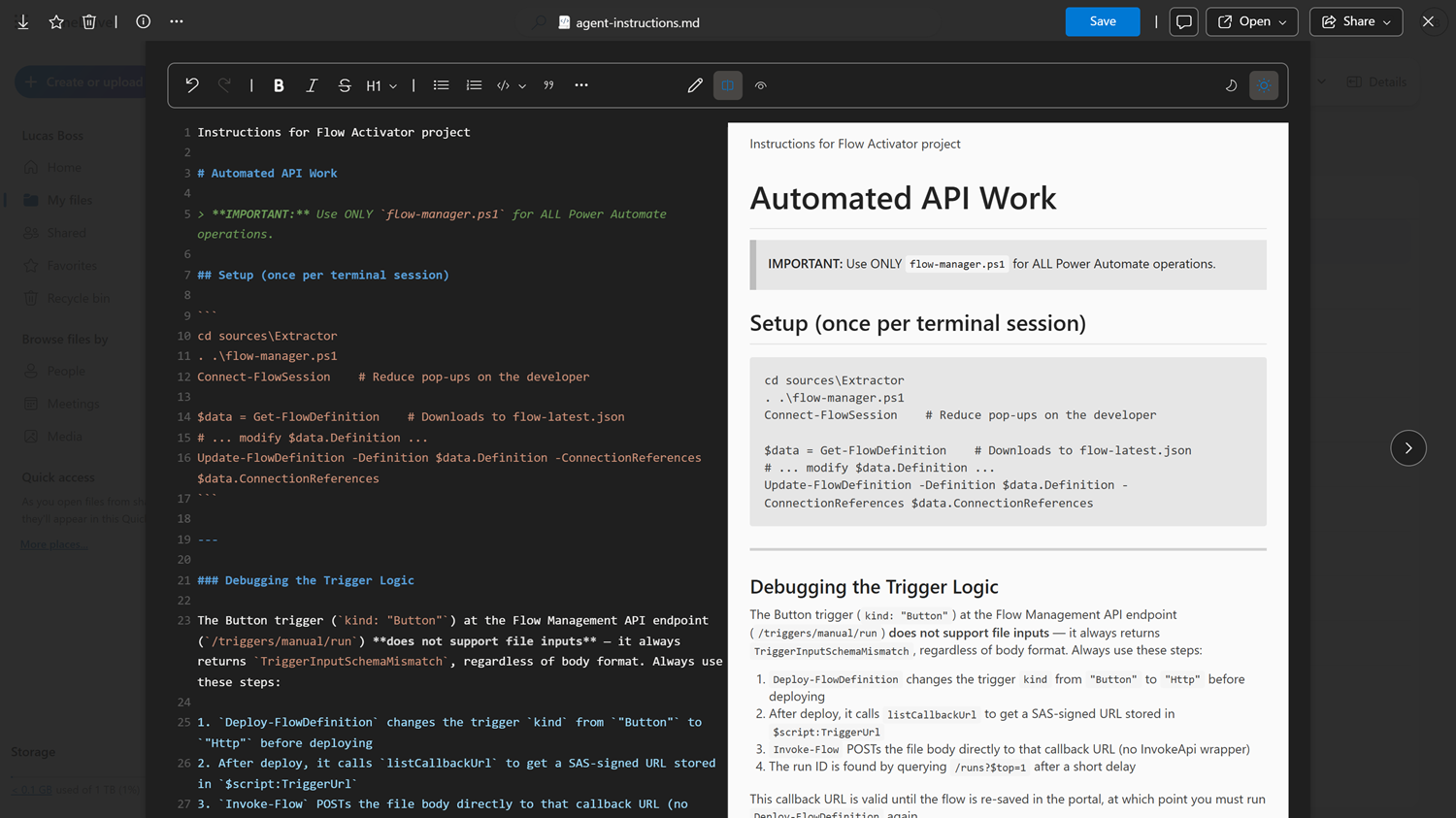
OneDrive and SharePoint now support viewing and editing Markdown (.md) files directly in the browser. No downloads or third-party tools are needed. Open any Markdown file to see a clean, formatted view, or switch to the built-in editor with a toolbar, side-by-side preview, and syntax support. Whether you’re working with documentation, README files, Markdown files generated by your AI assistant, or notes, OneDrive makes it easy to read and update Markdown content right where your files live.
When this will happen:
- General Availability (Worldwide): Rollout begins mid-April 2026 and is expected to complete by late May 2026.
How this affects your organization:
Who is affected:
- All users accessing Markdown (.md) files stored in OneDrive and SharePoint
What will happen:
- Markdown files open directly in the browser with a side-by-side experience
- Raw Markdown editor is found on the left and rendered preview on the right, updating in real time
- Rich previews render tables, images, code blocks, and links using Fluent 2 typography
- A built-in formatting toolbar simplifies editing
- Markdown files can be created, edited, and organized alongside other Microsoft 365 files
- The feature is enabled by default and respects existing access controls
What you can do to prepare:
Before rollout, we will update this post with new documentation.
Compliance considerations:
- No admin action is required
- Consider updating training or documentation as appropriate
- Inform helpdesk teams about the new in-browser experience
No compliance considerations identified, review as appropriate for your organization.
Message ID: MC1261592





