

 HANDS ON SharePoint
 HANDS ON Teams
 HANDS ON Lists
 HANDS ON tek
 M365 Admin
Microsoft 365 Copilot (Premium): Choose your AI model when editing presentations in PowerPoint
Microsoft 365 Copilot (Premium) in PowerPoint will let users choose AI models, including OpenAI and Anthropic’s Claude, when editing presentations. This feature, enabled by default, rolls out worldwide from April to May 2026, maintaining existing security and compliance controls with admin options to disable Anthropic.

Introduction
Microsoft 365 Copilot (Premium) in PowerPoint now allows users to choose which AI model to use when creating or editing presentations, providing additional flexibility while maintaining existing security, compliance, and admin controls.
This message is associated with Microsoft 365 Roadmap ID 558443.
When this will happen:
General Availability (Worldwide): Rollout begins early April 2026 and is expected to complete by early May 2026.
How this affects your organization:
Who is affected:
- Microsoft 365 Copilot (Premium)–licensed users using Copilot in PowerPoint.
- Microsoft 365 administrators.
What will happen:
What you can do to prepare:
- No action is required if you want this feature enabled.
- Consider notifying helpdesk or compliance teams that users may see a new model selection option in PowerPoint Copilot.
- Admins can disable Anthropic as a subprocessor in the Microsoft 365 admin center. Learn more: Anthropic as a subprocessor for Microsoft Online Services | Microsoft Learn.
Compliance considerations:
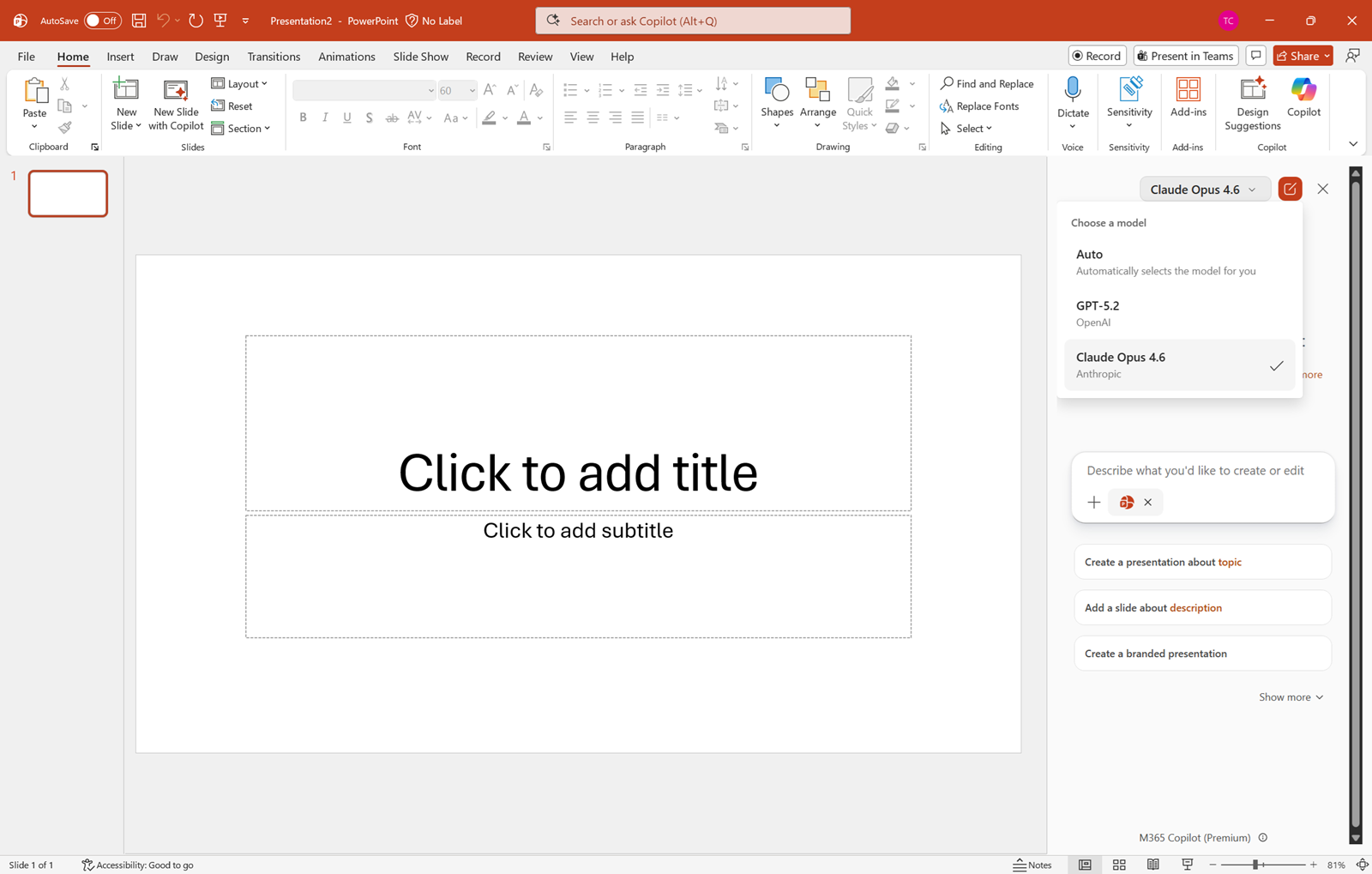
- Users can select which AI model to use when creating or editing slides in Copilot for PowerPoint.
- To switch models, open the Copilot pane and use the dropdown menu in the top-right corner to select a model. The default selection is Auto.
- Available models include OpenAI models and Anthropic’s Claude model.
- The feature is enabled by default.
- Existing Microsoft 365 Copilot security and compliance controls continue to apply.
| Area | Explanation |
|---|---|
| AI/ML interaction with customer data | Users can select an Anthropic (Claude) model when using Copilot in PowerPoint, introducing an additional AI model that processes user prompts and slide content under Microsoft 365 Copilot data protections. |
| Third-party software integration | Anthropic is used as a subprocessor for Microsoft Online Services when the Claude model is enabled. |
| Admin control available | Admins can disable Anthropic as a subprocessor through settings in the Microsoft 365 admin center. |
| User control | Users can choose which AI model to use within Copilot for PowerPoint, subject to tenant configuration. |
Message ID: MC1267867





