

 HANDS ON SharePoint
 HANDS ON Teams
 HANDS ON Lists
 HANDS ON tek
 M365 Admin
Microsoft Exchange Online: Dynamic distribution groups will populate membership faster on creation and modification
Dynamic distribution groups (DDGs) in Exchange Online will populate membership immediately upon creation or modification if the filter returns 5,000 or fewer members, eliminating up to a 2-hour wait. For larger groups, membership populates within 2 hours with a warning shown. Rollout begins late May 2026.

We’re updating dynamic distribution groups (DDGs) in Exchange Online so group membership is available sooner after a group is created or its filter is changed. For DDGs whose filter returns 5,000 members or fewer, membership will be populated during the creation or modification operation, eliminating the previous wait of up to two hours.
This message is associated with Microsoft 365 Roadmap ID 560550.
When this will happen
- General Availability (Worldwide): We will begin rolling out in late May 2026 and expect rollout to complete by early June 2026.
How this affects your organization
Who is affected
Exchange Online administrators who create or manage dynamic distribution groups using the Exchange admin center (EAC) or PowerShell
What will happen
- For DDGs whose filter returns 5,000 members or fewer, membership will be populated as part of the create or modify operation.
- For DDGs whose filter returns more than 5,000 members:
- Membership will be populated by a background process within up to 2 hours.
- A warning message will now be shown at creation or modification time, indicating that membership will be populated in the background.
Warning in PowerShell:

Warning in EAC:
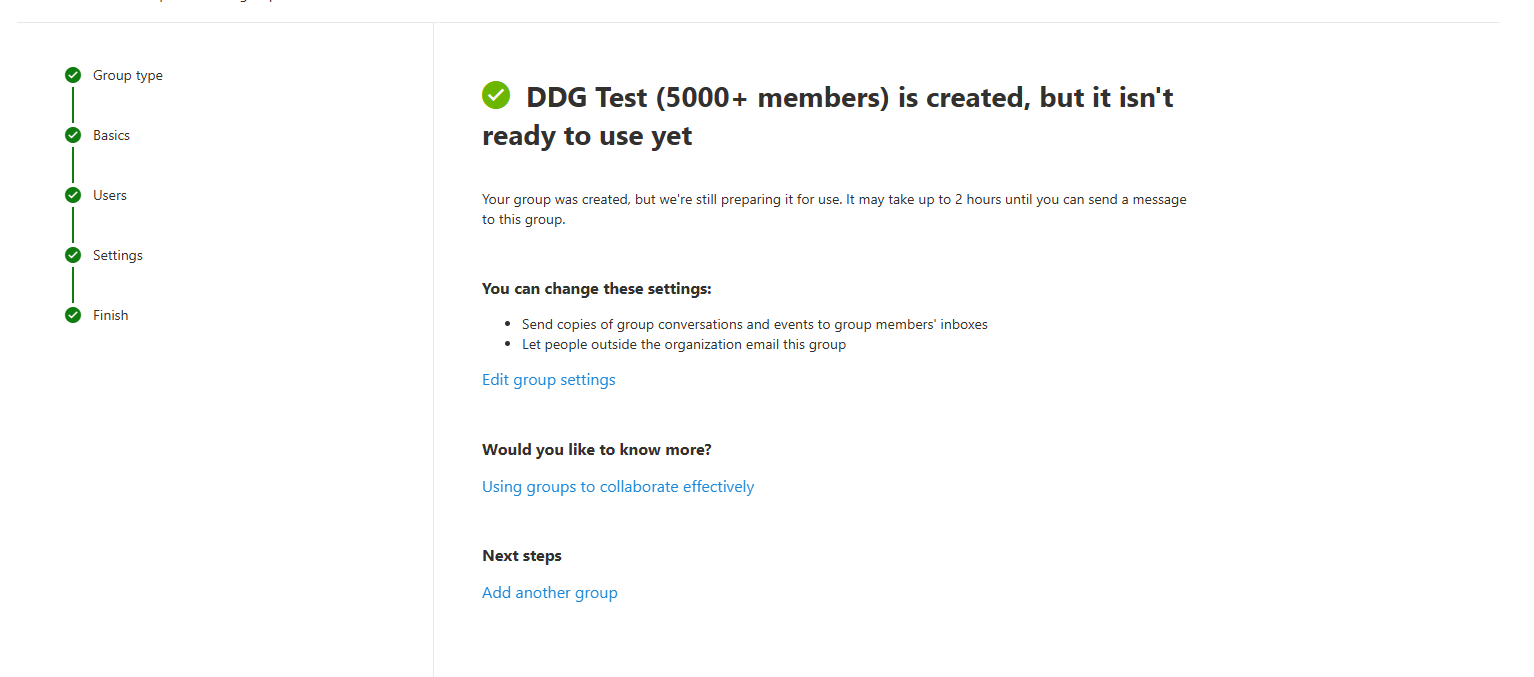
- For modifications, the DDG continues to use the previous membership list until the background process completes.
- The routine 24-hour membership refresh cycle will not be affected.
- This behavior will apply to DDGs created or modified using:
- Exchange admin center (EAC)
- PowerShell (New-DynamicDistributionGroup, Set-DynamicDistributionGroup)
Summary of behavior after rollout
| Scenario | Members ≤ 5,000 | Members > 5,000 |
| Create new DDG | Membership will be populated immediately as part of the operation. | Membership will be populated within 2 hours (no change). |
| Modify DDG filter | Membership will be populated immediately as part of the operation. |
Membership will be populated within 2 hours (no change). DDG continues to use the previous membership list until background process completes. |
| Routine refresh (every 24 hours) | No change. | No change. |
What you can do to prepare
- No action is required.
- Update internal documentation or helpdesk guidance that references a 2-hour wait time for DDG membership population after creation or modification.
- Inform administrators that immediate membership availability will apply to DDGs whose filter returns 5,000 members or fewer after rollout.
Learn more documentation to be updated closer to rollout:
- to be updated Create and manage dynamic distribution groups in Exchange Online | Recipients in Exchange Online | Exchange Online | Microsoft Learn
- to be updated Troubleshoot dynamic distribution group membership issues | Dynamic distribution groups | Recipients in Exchange Online | Exchange Online | Microsoft Learn
Compliance considerations
No compliance considerations identified. Review as appropriate for your organization.
Message ID: MC1294524





