

 HANDS ON SharePoint
 HANDS ON Teams
 HANDS ON Lists
 HANDS ON tek
 M365 Admin
Microsoft Purview | Data Loss Prevention – Adaptive scopes for DLP for SharePoint
Adaptive scopes for SharePoint DLP in Microsoft Purview enable automatic targeting of sites based on attributes, reducing manual updates. Rolling out from February to March 2026, this feature improves policy efficiency and coverage without impacting user workflows but requires admin setup and appropriate licensing.

Adaptive scopes for SharePoint DLP policies in Microsoft Purview enable you to target SharePoint sites based on site attributes instead of manually maintaining static site lists. As sites are created or updated, adaptive scopes automatically adjust membership, ensuring that DLP policies remain aligned to your environment without ongoing manual updates.
This message is associated with Microsoft 365 Roadmap ID 549288.
When this will happen
- Public Preview: We began rollout in early February 2026 and expect to complete by late‑February 2026.
- General Availability (Worldwide): We will begin rollout in mid‑March 2026 and expect to complete by late March 2026.
How this will affect your organization
Who is affected: Admins who manage Data Loss Prevention (DLP) policies for SharePoint in Microsoft Purview.
What will happen:
With adaptive scopes for SharePoint, your organization will –
- Apply DLP policies more efficiently and at scale.
- Automatically target the correct SharePoint sites based on attributes such as URL, name, or metadata.
- Ensure new or updated sites are protected without manual list maintenance.
- Reduce administrative overhead by removing the need to maintain static site lists.
- Maintain consistent DLP policy coverage as your SharePoint environment grows and changes.
Additional notes:
- There is no impact to user workflows.
- The feature is not enabled by default; admins must create and assign adaptive scopes.
What you can do to prepare
To prepare for this update, you can:
- Verify licensing and permissions.
- Ensure your tenant has Microsoft 365 E5 or E5 Compliance licensing and that you hold the required Purview roles.
- Learn more: Configure adaptive scopes – Adaptive Scopes | Microsoft Purview | Microsoft Learn
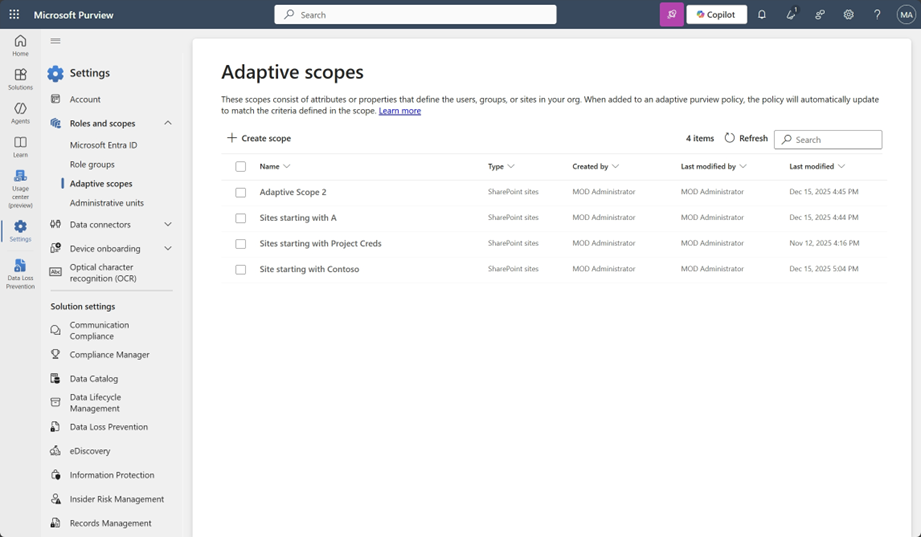
- Navigate to Adaptive scopes.
- Go to Microsoft Purview compliance portal → Settings → Roles & scopes → Adaptive scopes (screenshot 1):
- Create an adaptive scope.
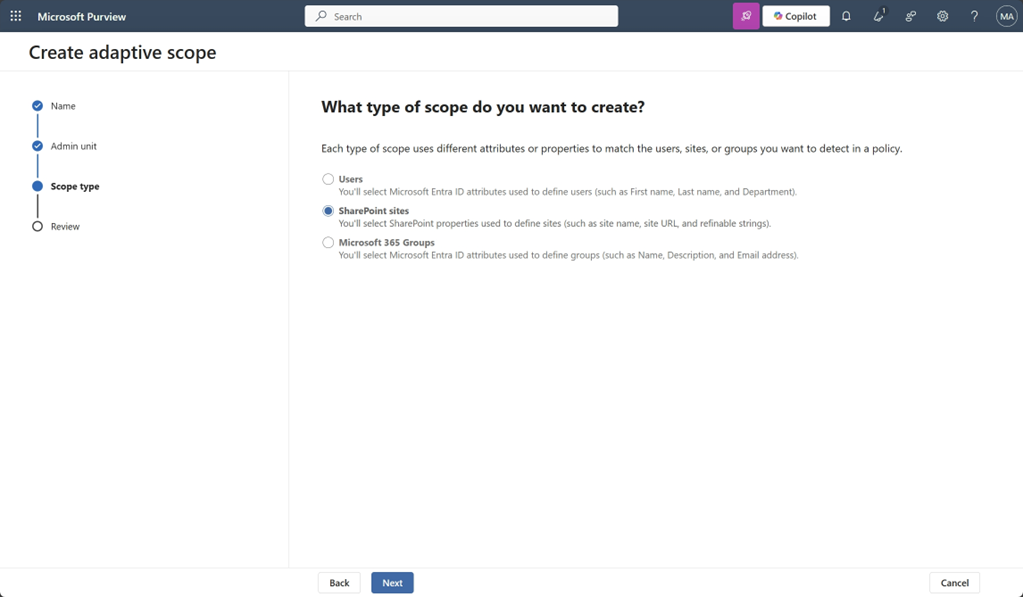
- Select + Create scope.
- Provide a name and description.
- Choose SharePoint sites as the scope type (screenshot 2):
- Define the scope criteria.
- Use the query builder to set rules based on SharePoint site attributes such as:
- Site URL
- Site name
- Custom metadata
- Review and create the scope.
- Confirm your criteria and create the scope. The system evaluates and updates scope membership automatically.
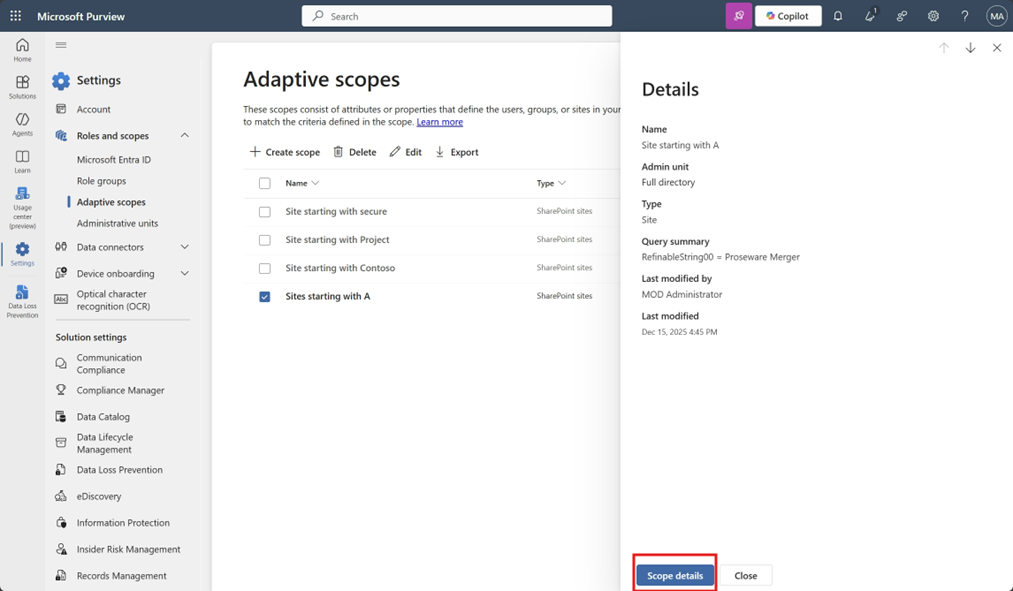
- Verify scope membership.
- Review included sites using the Adaptive scopes details pane (screenshot 3):
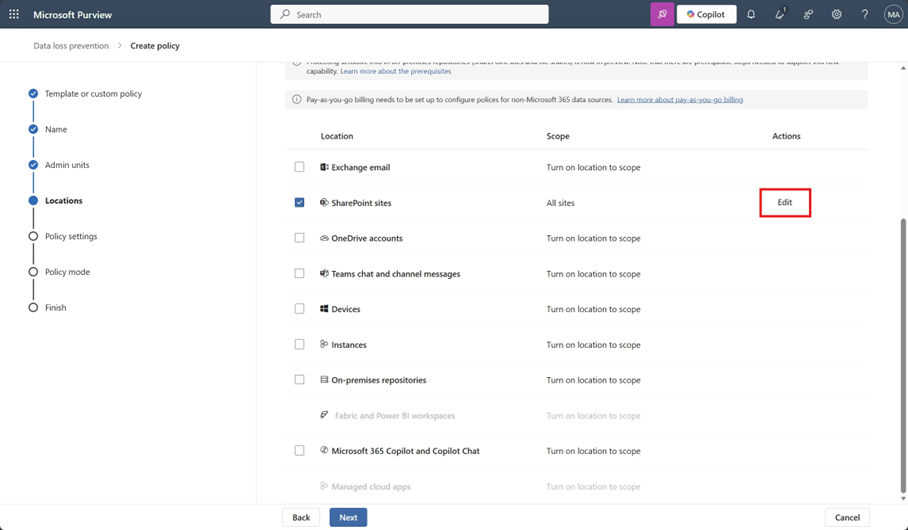
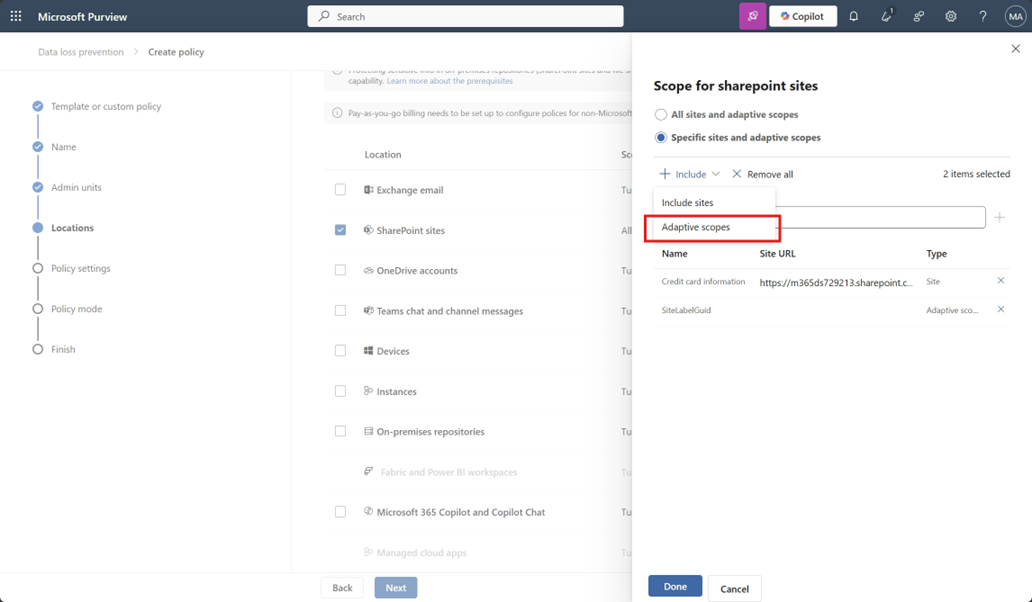
- Apply the scope to a DLP policy.
- When creating or editing a SharePoint DLP policy, select your adaptive scope (screenshots 4 and 5):
.
- Allow time for periodic evaluation.
- Changes to adaptive scopes may take time to reflect across applied policies.
Compliance considerations
No compliance considerations identified. Review as appropriate for your organization.
Message ID: MC1234571





