

 HANDS ON SharePoint
 HANDS ON Teams
 HANDS ON Lists
 HANDS ON tek
 M365 Admin
Microsoft Teams: Flexible layout for meetings with resizable divider
Microsoft Teams will introduce a resizable divider in meetings (April 2026) allowing users to adjust and swap the space between shared content and video gallery, supporting spotlighted, pinned, and Speaker View. This feature is enabled by default and requires no admin action.

Introduction
We’re introducing a new flexible layout option in Teams meetings to give users more control over how shared content and participant videos appear. A resizable divider in the top gallery lets users adjust the space between shared content and the video gallery. This allows users to prioritize presentation content or video tiles, and to swap their positions based on personal preference. This update supports spotlighted speakers, pinned videos, and Speaker View, and provides a more personalized experience—especially on large or ultra‑wide displays.
This message is associated with Microsoft 365 Roadmap ID 554925.
When this will happen
- Targeted Release: Rolling out in April 2026 and expected to complete in April 2026.
- General Availability (Worldwide): Rolling out in early April 2026 and expected to complete by late April 2026.
How this affects your organization
Who is affected
- All Teams users who participate in meetings where content is shared.
What will happen
What you can do to prepare
No admin action is required. To prepare for the rollout, you may want to:
- Update training materials and FAQ to explain:
- How to locate and use the resizable divider.
- How to adjust layouts during content sharing and in Speaker View.
- Communicate this change to helpdesk and support staff, especially for users with large or ultra‑wide monitors.
Compliance considerations
No compliance considerations identified. Review as appropriate for your organization.
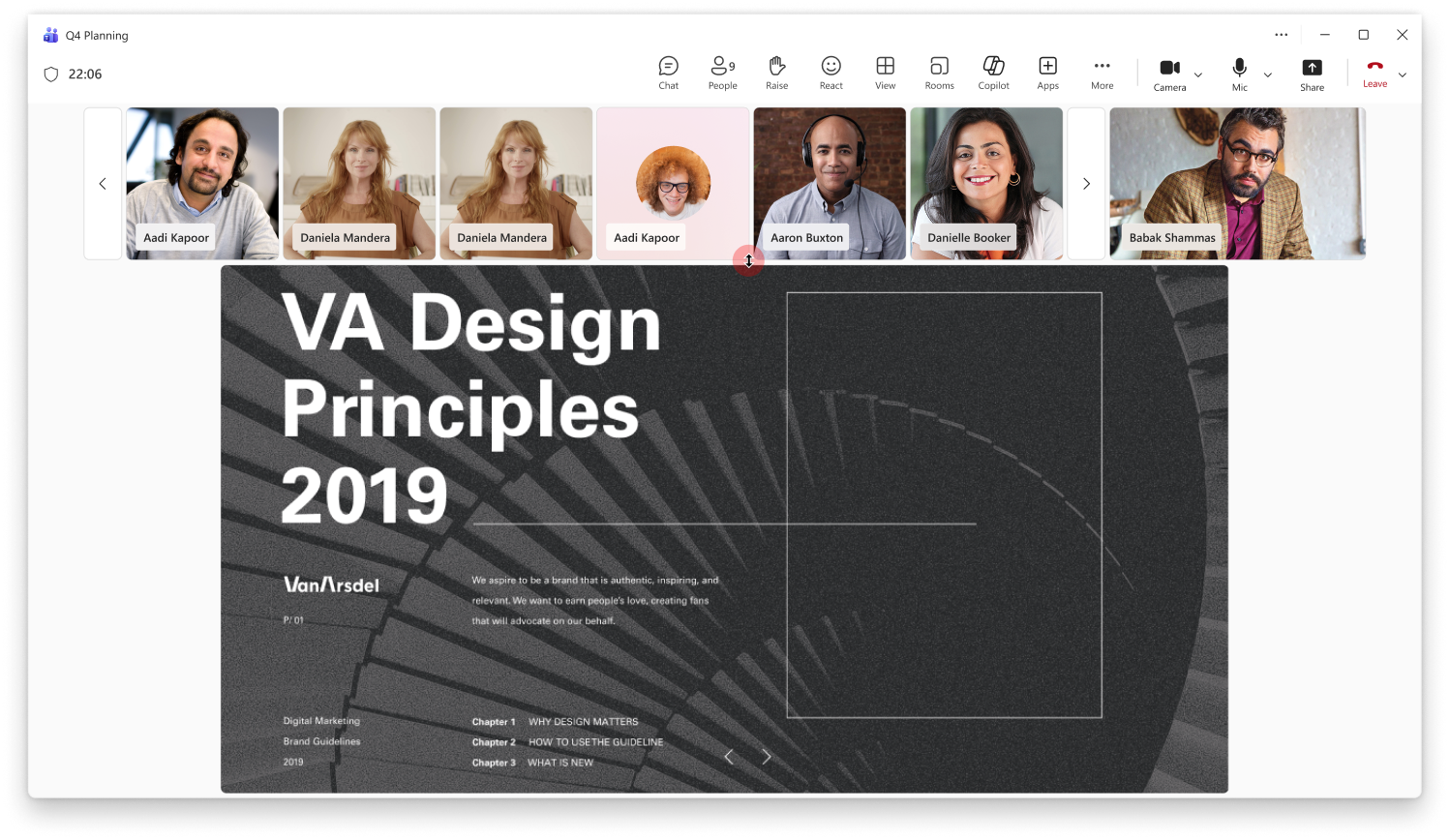
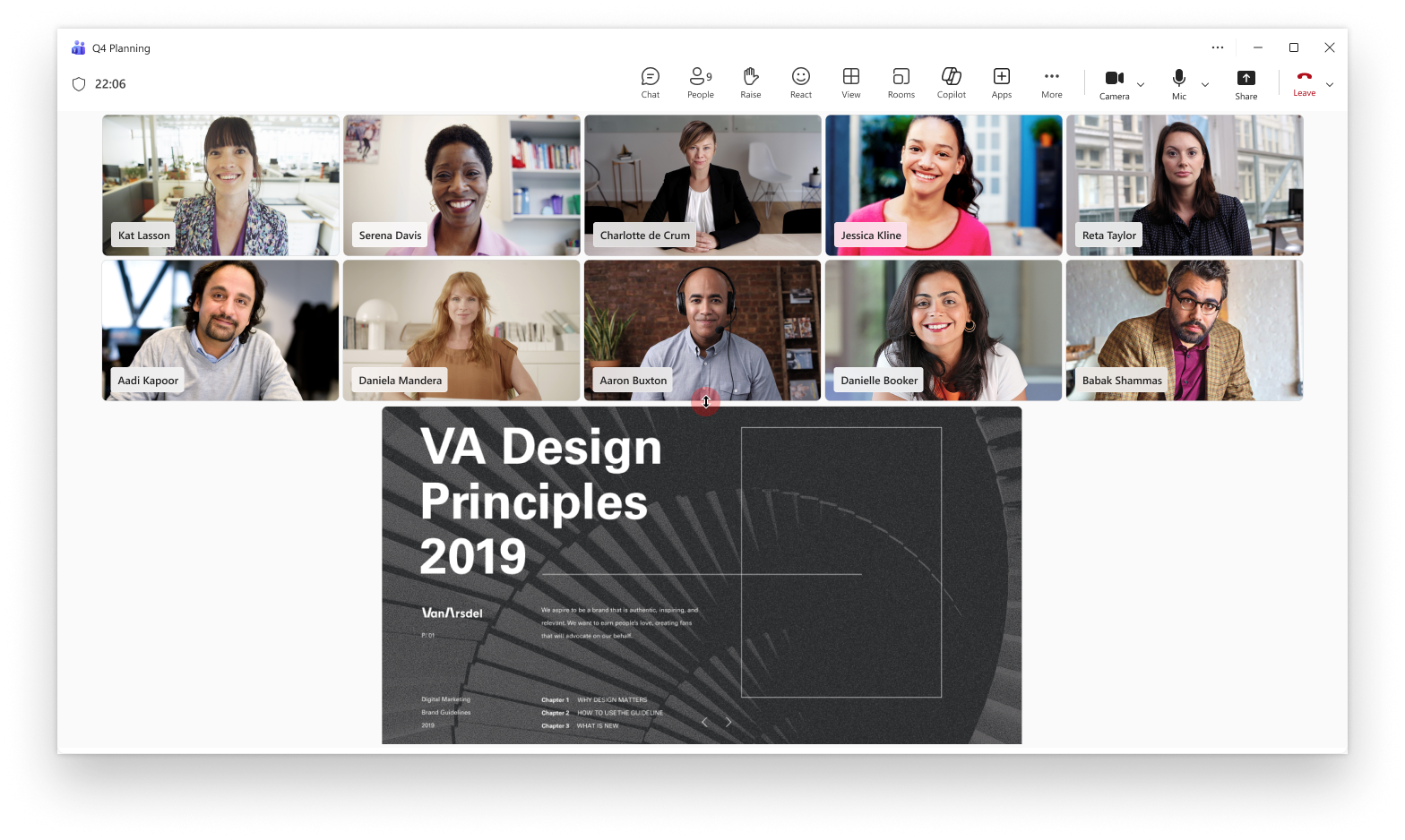
- Users will see a new resizable divider in the top gallery of Teams meetings during content sharing.
- Users can adjust the meeting layout to prioritize shared content or participant video tiles:
- Users can swap the positions of shared content and the video gallery:
- The feature works with spotlighted speakers, pinned videos, and Speaker View.
- This feature is enabled by default; no admin configuration is required.
Message ID: MC1239934





