

 HANDS ON SharePoint
 HANDS ON Teams
 HANDS ON Lists
 HANDS ON tek
 M365 Admin
Present a Local File From PowerPoint app to PowerPoint Live in Teams
The “Present in Teams” button in the PowerPoint app has been extended to the PowerPoint files that are not stored in Microsoft 365 Clouds.
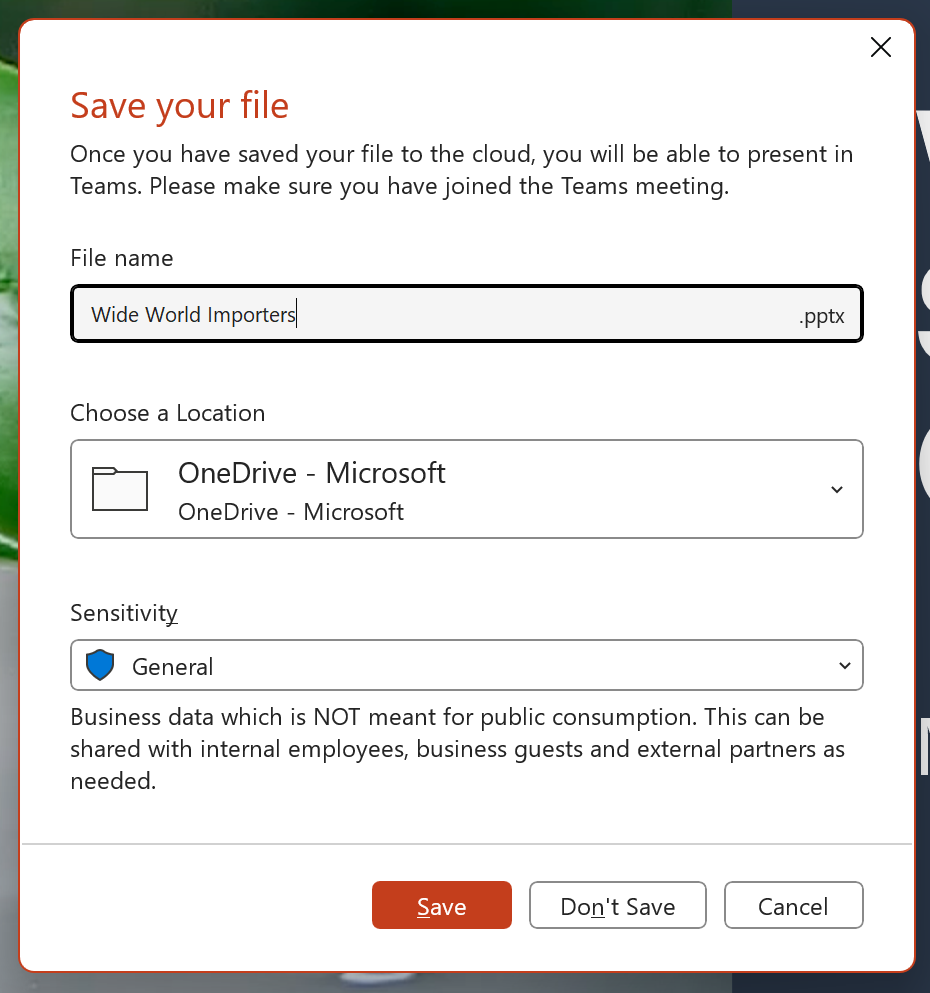
You can now use the “Present in Teams” button in the PowerPoint for Window app to present via PowerPoint Live in your Teams meetings, even if your file is not stored in Microsoft 365 Clouds. This is a new PowerPoint Live entry point for those files, in addition to the “Browse my computer” button in Teams Share tray. Clicking the “Present in Teams” button first leads you to the Save As dialog to store the file to the Microsoft 365 Cloud. Once the file is saved, we’ll automatically trigger PowerPoint Live to present your file in your current Teams meeting.

This update is only available currently to the PowerPoint app for Windows and is not available in the Mac app yet.
This message is associated with Microsoft 365 Roadmap ID 117477
When this will happen:
Standard Release: We will begin rollout in early July in Current Channel and expect the rollout to be complete by late July.
All other channels will see this feature once they catch up on the update.
How this will affect your organization:
The user in your organization can use the “Present in Teams” button in PowerPoint, even when they are working on a file that is not stored in Microsoft 365 clouds, to present the deck to the current Teams meeting. After selecting Present in Teams, the user will be asked to save the file to Microsoft Cloud before being able to present the file in Teams.

What you need to do to prepare:
There is no action required from you at this time. Please inform your users about this extension.
Message ID: MC586564






No comments yet