

 HANDS ON SharePoint
 HANDS ON Teams
 HANDS ON Lists
 HANDS ON tek
 M365 Admin
Updates to filtered message viewing in Outlook for iOS and Android
Outlook for iOS and Android will add an option to search all filtered messages when more exist beyond locally synced items, improving clarity without changing sync behavior or admin settings. This rollout begins mid-March 2026 and requires no admin action. Users applying filters like Unread or Flagged are affected.

Introduction
We’re updating Outlook for iOS and Android to make it clearer when additional messages may be available while viewing filtered message lists. This change reduces confusion in scenarios where results appear unchanged because no additional items matching the selected filter are currently synced to the device.
When more filtered items may exist on the server, Outlook will provide an option to search for all items that match the applied filter, helping users find the messages they need.
This message is associated with Microsoft 365 Roadmap IDs 557349 and 557350.
When this will happen
General Availability (Production): We will begin rolling out in mid‑March 2026 and expect to complete by late March 2026.
How this affects your organization
Who is affected
- All users of Outlook for iOS and Android who apply filters such as Unread, Flagged, Has attachments, Categories, To me, or Mentions me.
What will happen
What you can do to prepare
No action is required.
You may choose to:
- Notify your users of the new behavior.
- Update internal help content or training materials that describe filtered message lists or scenarios where users load additional messages.
Compliance considerations
No compliance considerations identified, review as appropriate for your organization.
- Users will see a new option to search for all filtered items when more messages may exist beyond what is synced locally:
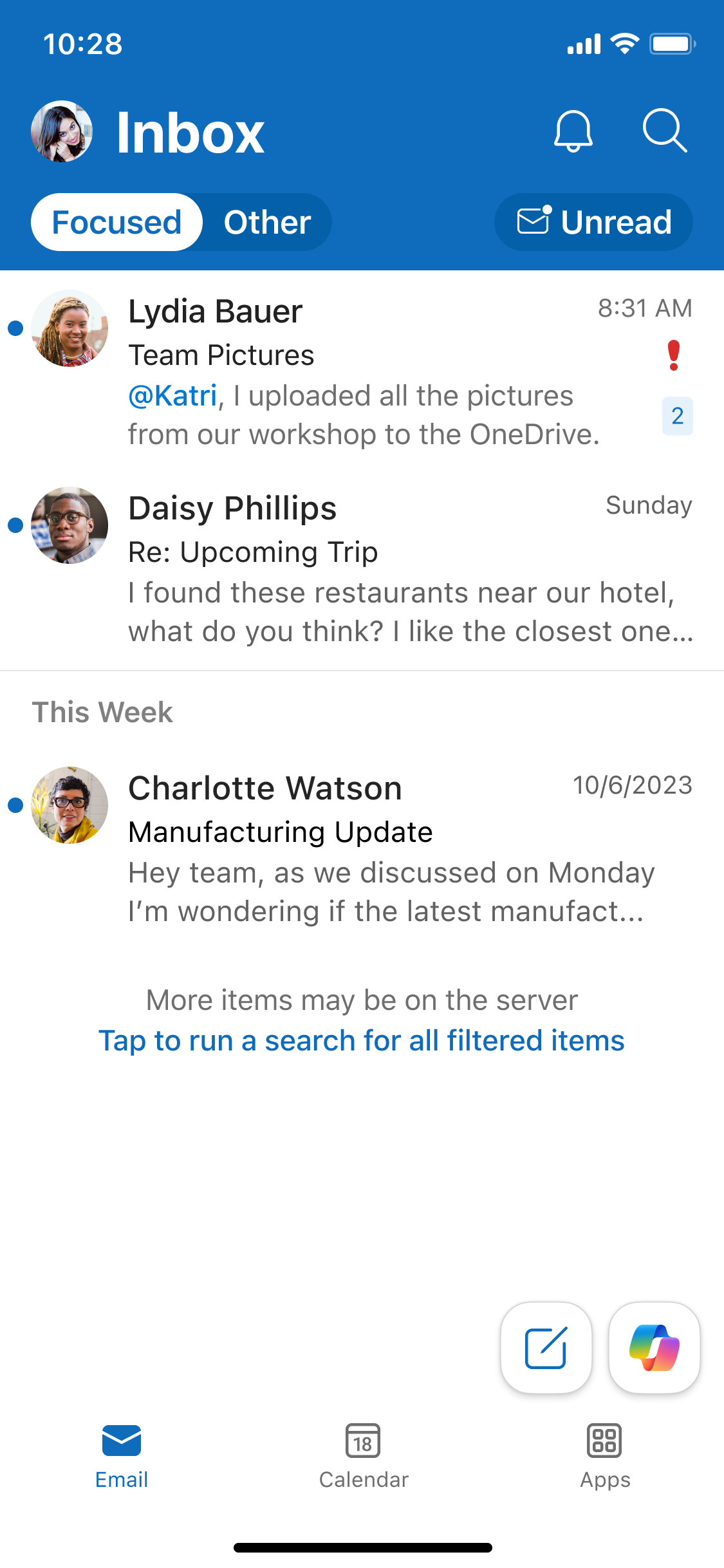
- Selecting this option automatically opens Search with the filter automatically applied.
- This update will improve clarity but will not change admin configuration, sync behavior, or filtering capabilities.
- The update will not change how many messages are synced to the device or how items are retrieved from the server.
- The feature will be enabled by default and will require no action from admins.
- No admin controls or opt‑in/opt‑out settings will be introduced.
Message ID: MC1238433





