

 HANDS ON SharePoint
 HANDS ON Teams
 HANDS ON Lists
 HANDS ON tek
 M365 Admin
New URBAC permission to preview email content in Microsoft Defender for Office 365
Microsoft Defender for Office 365 introduces a new URBAC permission allowing admins to preview and download email content linked to “Email reported by user as malware or phish” alerts, enabling granular access without broad email permissions. Rollout begins April 2026, with no impact on existing roles.

Introduction
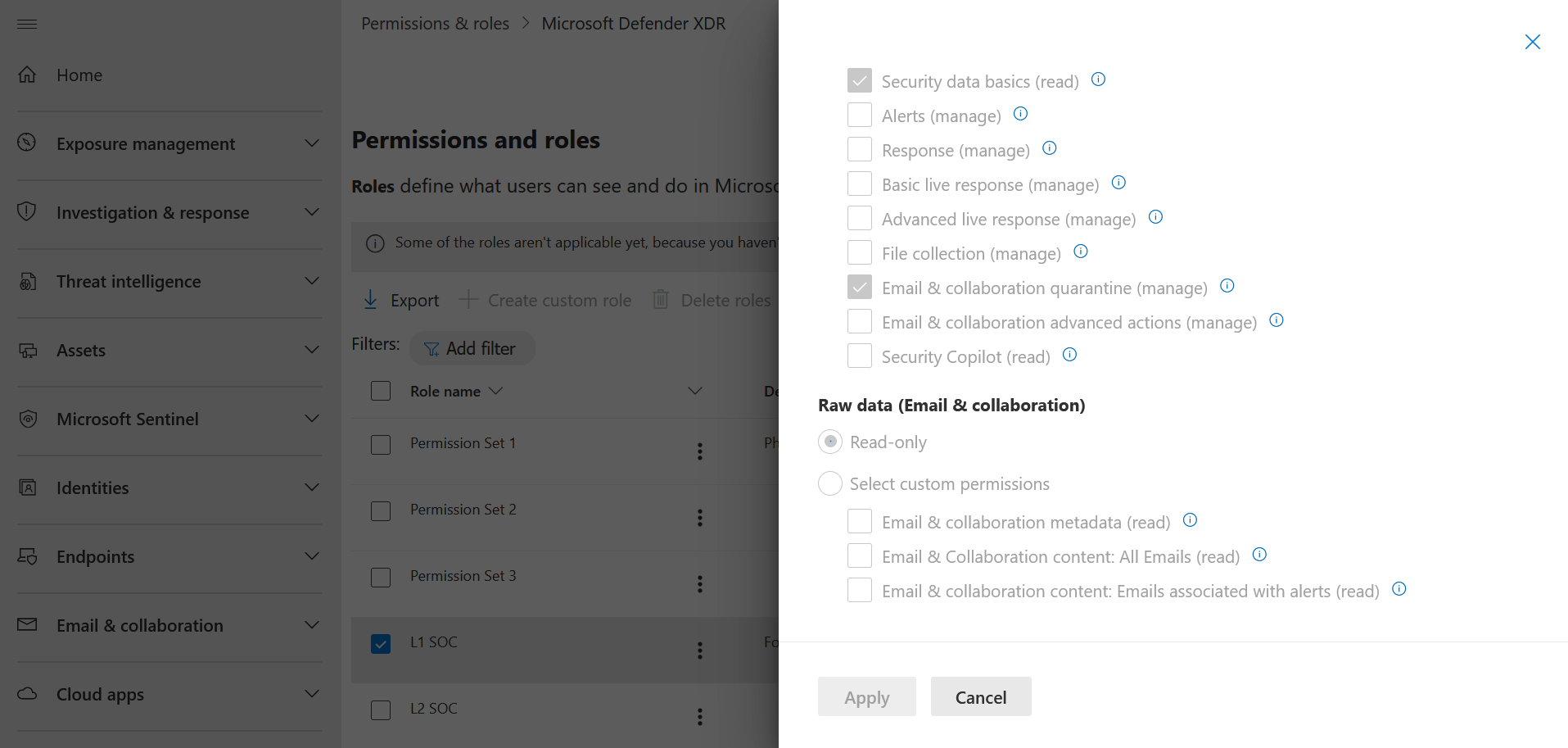
We are introducing a new Defender XDR Unified RBAC (URBAC) permission in Microsoft Defender for Office 365 that allows administrators to preview and download email content associated with the alert “Email reported by user as malware or phish“, without granting broad access to all email content. This new permission helps provide more granular access during security investigations while preserving existing workflows for admins who require full email content access.
These changes affect permissions assigned through Defender XDR Unified RBAC.
When this will happen
- General Availability (Worldwide): We will begin rolling out in early April 2026 and expect to complete by mid-May 2026.
- General Availability (GCC, GCC High, DoD): We will begin rolling out in mid-April 2026 and expect to complete by late May 2026.
How this will affect your organization
We are introducing a new URBAC permission under Security operations called Email and collaboration content: Emails associated with alerts (read).
- With this permission, Admins can perform preview and download actions on email entity associated with supported alerts.
- This permission currently applies to the alert “Email reported by user as malware or phish”.
- This is a new permission, and there is no impact to existing roles or admin workflows.
- Admins who already have Security operations/Raw data (email & collaboration)/Email & collaboration content (read): All Emails will retain full access and do not need to take any action.
- Support for additional alert types will be added at a later stage.
What you need to do to prepare
Compliance considerations
No compliance considerations identified, review as appropriate for your organization.
- Review which administrators in your organization require access to message content.
- Communicate this change to security operations and helpdesk teams that investigate messages.
- If you want to assign more granular access:
- Review your existing Defender XDR Unified RBAC roles.
- Consider assigning the new permission to analysts who only need access to emails tied to the alert “Email reported by user as malware or phish.”
- Learn more:
Message ID: MC1246007





